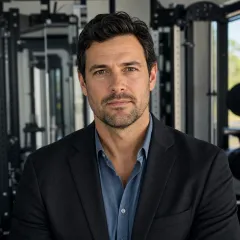
I'm a client services coordinator at joola. Over six years, I've helped clubs, training centers, and tournament organizers work through something like 200 equipment emergencies—maybe 180, I'd have to check our system to get the exact number. Some were routine, some genuinely stressful. If there's one pattern that keeps showing up, it's this: there's no universal answer to "what should we buy?" The right equipment depends entirely on which situation you're in right now.
This guide sorts those situations into four buckets. Find yours, and you'll have a much clearer path to a decision.
Start With the Scenario, Not the Product
The four scenarios I see most often in client calls:
- You're setting up or upgrading a table tennis or pickleball training space and need the core gear.
- You already own joola equipment and the NFC chip won't read.
- You're expanding a facility into strength and conditioning.
- You're adding cardio capacity and trying to figure out what a cross trainer is—and whether you actually need one.
Each one leads to a different answer. Let's walk through them.
Scenario A: Building the Technical Core
If you're a club or training center putting together a table tennis floor, the table is the centerpiece. Not the paddles. Not the balls. The table. A player's first impression is the surface. If it wobbles, if the bounce is inconsistent, if the legs aren't stable—players notice, and they'll assume everything else about your facility is equally compromised. That might not be fair, but it's real.
Here's what we help clubs evaluate when comparing joola ping pong table reviews and specs:
- Table top thickness. Tournament-regulatory tables are at least 19mm thick. For purely recreational spaces, 16mm can work, but you'll feel the tradeoff in bounce consistency. Most serious clubs we work with standardize on 25mm tournament-grade MDF.
- Leg stability. Look for leg geometry that keeps the table rigid when players lean into shots. A stable table feels more premium than an unstable one with a nicer paint job.
- Series fit. The joola Inside line covers indoor club installations. The Rally series adds weather resistance for outdoor or semi-outdoor placement. The Tour series is built for events where tables get packed up and transported regularly.
An example from practice: In March 2024, a club called us at 9 AM needing two tournament tables for a regional qualifier the next morning. Normal delivery to their area was five days. We found a local dealer with stock, paid $300 in expedited freight on top of the $1,800 base price per table, and had them installed by 6 PM. The alternative was rescheduling the event—which would have cost the club around $4,000 in entry fees and concessions. The cheapest option wasn't the point. The point was protecting the club's reputation on a day that mattered.
Quality perception works like that. Players walk in, see a solid tournament-grade table, and trust that the whole session will be professional. They see a warped budget table, and they discount everything you've built.
One more thing: if you're running a training center, the ecosystem beyond the table—paddles, balls, and joola's robot training line—matters more than individual product specs. A club that can offer solo training sessions with a robot extends its revenue hours without adding staff overhead. That's a business case, not just a gear upgrade.
Scenario B: When the NFC Chip Won't Read
This might be the search that brought you here: "joola nfc chip not working." Let's deal with it head-on.
For most joola rackets and some accessories, the NFC chip in the handle handles authenticity verification, warranty registration, and connecting to training data in the app. If it stops reading, the first instinct is to assume the hardware died. In my experience, that's usually wrong.
What most people don't realize: in nearly every support case I've seen, the chip was functional the whole time. It was an alignment issue or an app-sequence problem. Here's what to check before contacting support:
- Enable NFC in your phone settings. Basic, but you'd be surprised how many tickets start with the toggle off.
- Hold the phone's NFC antenna—usually near the top back of the phone—directly against the butt of the handle. Not the face of the paddle. The chip sits in the handle; scanning the blade won't register anything.
- Open the joola app first, then scan. The sequence matters. If you scan before launching the app, the phone may read the chip but do nothing with it.
- Remove any phone case that could block NFC. Thicker or magnetic cases commonly break the connection.
- Check the handle for moisture or thick grip wrap. Both can block the signal. If you've over-wrapped your paddle, that's often the culprit.
Try those five before you worry about a replacement. If the chip still won't read after that, reach out to our support team—but the actual failure rate is far lower than the search volume suggests.
Scenario C: Strength Gear—Barbells and the Overhead Press
Now, a confession: strength equipment isn't joola's core business. But when table tennis and pickleball clubs expand into multi-sport facilities—which a lot are doing right now—our client services team gets a steady stream of questions about the weight room. I'm not a strength coach, so I'll keep this to the basics that actually matter.
A barbell weight set is the backbone of a strength zone. If you're starting from zero, here's what to look for:
- Bar weight and load capacity. A standard men's Olympic bar weighs 20kg (44 lb) and should handle at least 400 lb total load. Women's bars are typically 15kg and slightly shorter.
- Sleeve rotation. The sleeves—where plates load—should rotate smoothly. Good rotation matters for the overhead shoulder press because it keeps the bar stable as you push through the lockout.
- Plate mix. Don't just order heavy plates. You want 2.5, 5, and 10 lb plates alongside 25s and 45s. A set that only has big plates is useless for warm-ups and incremental loading.
The overhead shoulder press is one of the most common requests when a club starts a strength area. It's a core upper-body movement, it doesn't require a complex rack setup, and it builds the kind of shoulder and triceps strength that carries over to just about every sport. A barbell, a pair of collars, and a flat bench are enough to start.
Scenario D: Adding Cardio—What a Cross Trainer Really Is
One question that keeps coming up in facility planning: what is a cross trainer? In the fitness world, "cross trainer" is almost always shorthand for an elliptical trainer—the machine with foot pedals and moving handlebars that gives low-impact, full-body cardio. It's not the same as "cross-training," which is a broader training approach that mixes different sports and modalities.
If you're adding one to a club, focus on three specs:
- Flywheel weight. Commercial cross trainers typically have 15–25 lb flywheels. Below that, the stride feels jerky. Heavier flywheels are smoother and feel more premium.
- Stride length. Look for an adjustable or 16–20 inch stride so shorter and taller members can both move naturally.
- Q-factor. That's the distance between the two pedals. A narrower Q-factor is usually more comfortable for knees. It's an overlooked spec, but it shows up in user complaints after months of use.
A cross trainer isn't a joola product, but if your facility is becoming a broader sports hub, it's part of the conversation. I can only speak to what we've seen working in mixed-use clubs: a smooth, structured cardio area makes the whole facility feel more professional to members and visitors.
Which Scenario Are You In?
Still not sure? Here's the self-check we use internally:
- Dedicated table tennis facility that hosts competitions? You're in Scenario A. Table quality is your make-or-break decision.
- Already have joola paddles and the app won't read them? Scenario B. Try the five checks—it's probably a scan issue, not a hardware failure.
- Turning an empty space into a multi-sport training zone? Scenarios C and D both apply. Start with the barbell setup; add the cross trainer if cardio is a stated need.
- Everything works but you're thinking about upgrading? Still Scenario A. The highest-impact upgrade in a table tennis club is almost always the playing surface.
The Bottom Line
I've seen facilities make two expensive mistakes: buying over-spec equipment that sits unused, and buying under-spec equipment that falls apart. Both are expensive. The middle path is matching equipment to the actual use case, then paying for quality where it's most visible. That's not just a procurement strategy. It's a brand strategy. Clients feel the difference between an investment in their experience and a simple expense.
The details and pricing in this guide were accurate as of April 2025. Equipment lines evolve, so verify current specs and pricing before finalizing any large purchase.